
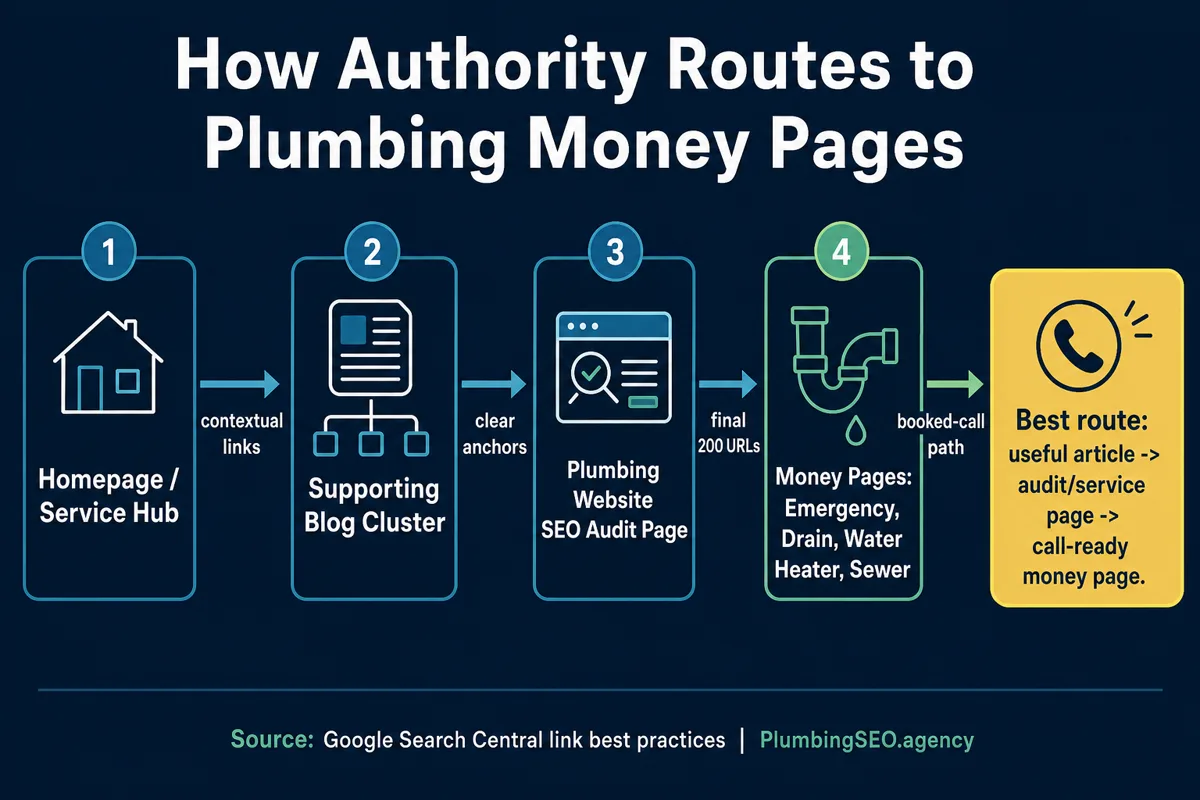
- Internal links are the pipes that move visitors and page authority from helpful articles toward the service pages that can book calls.
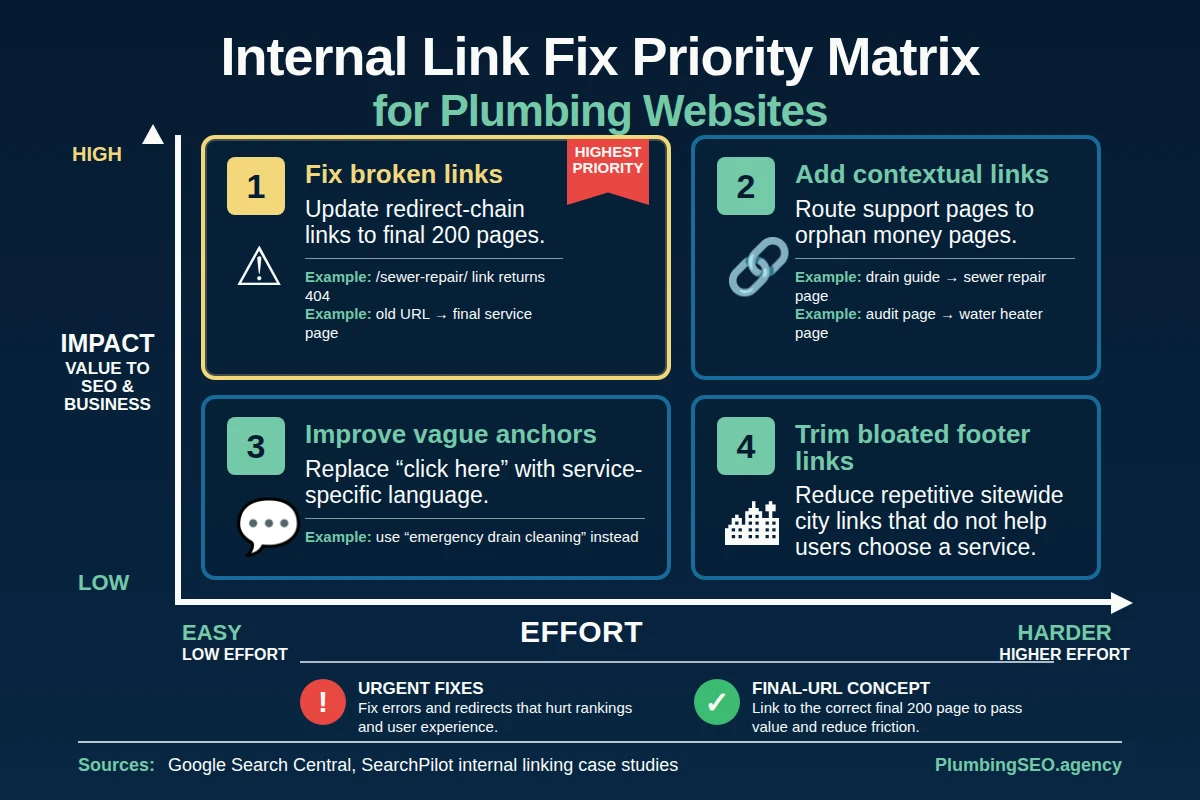
- Fix orphan money pages, broken links, redirect-chain links, and weak anchors before worrying about cosmetic footer links.
- A good plumbing link plan starts with crawlable links, clear anchors, service-page priority, and a monthly check against calls and rankings.
If your plumbing website has 40 blog posts but the drain cleaning page still sits alone in the corner, you do not have a content problem. You have a routing problem.
Internal linking is how your site tells Google and real customers which pages matter. It is also how a homeowner reading a helpful article about sewer smells finds the sewer repair page before they call the other shop. Bad internal linking is like running new pipe and forgetting to connect it to the main line. Looks busy. Does not move much.
For plumbing companies, the goal is not to sprinkle links everywhere. The goal is to route authority, trust, and visitors toward pages that can turn into booked work. That usually means your homepage, core service pages, local service-area pages, and a commercial page such as a plumbing website SEO audit when the visitor needs a deeper diagnosis.
What internal linking means on a plumbing website
An internal link is a link from one page on your site to another page on your site. That sounds basic, but the business impact is not basic at all.
Google's own link best practices explain that links help Google find pages, understand page relevance, and make sense of anchor text. Moz's internal link guide explains the same idea in plain SEO terms: internal links help users navigate, establish site hierarchy, and spread ranking power around a website.
Here is the plumbing version: a helpful blog post can earn attention, but a service page usually earns the call. Internal links connect those two jobs.
| Page type | What it usually does | Where it should link |
|---|---|---|
| Homepage | Builds company trust and broad plumbing SEO relevance. | Core service pages, audit page, pricing, and important proof pages. |
| Service page | Targets a job type such as drain cleaning, leak detection, or water heaters. | Related services, supporting guides, proof, and the call path. |
| Blog post | Answers questions, supports topical authority, and catches research-stage visitors. | The most relevant money page or audit page, not every service you offer. |
| City or service-area page | Shows local fit for a real area you serve. | Nearby proof, relevant services, and contact options. |
The money-page rule: route the right links to the pages that book work
A money page is any page that can create a real customer action. For a plumber, that might be emergency plumbing, drain cleaning, water heater replacement, sewer repair, leak detection, or repiping. It might also be the homepage if the company is targeting broad head terms and the homepage is the main ranking hub.
The mistake is treating every page equally. Your company history page does not need the same internal link push as your emergency plumbing page. A five-year-old blog post about PVC pipe sizes should not get the same attention as a water heater page that can put two jobs on the board next week.
The way I see it, internal linking is a dispatch board. You do not send every truck to every call. You send the right truck to the right job. Your internal links should do the same thing.
What to fix first when the site already has a mess of links
Most plumbing sites do not fail because they have zero links. They fail because the links are messy. The homepage links to old pages. Blog posts point to redirects. Service pages have no support links. City links sit in a giant footer block that nobody trusts. The crawler can move around, but the path does not help a homeowner or Google understand priority.
1. Orphan money pages
An orphan page exists on the site, but few or no useful internal links point to it. That is a real problem when the orphan is a money page. If your sewer repair page is buried, Google gets a weak signal and customers have a harder path to the page that answers their problem.
Fix this by adding contextual links from related service pages and articles. A drain cleaning article can naturally point to sewer line repair. A water heater troubleshooting guide can point to water heater replacement. A technical SEO post like this one can point to the audit page because the audit checks internal-link routing.
2. Broken internal links and 404s
Broken links waste trust. A homeowner clicks because the anchor promised help, then lands on an error. That is not a great first impression when they already have water on the floor.
Broken links also waste crawl paths. Clean them up before chasing clever link sculpting. Point old URLs to the correct live page, remove dead references, and make sure important pages return a clean 200 status.
3. Redirect-chain links
A redirect is not always bad. But internal links should usually point straight to the final page instead of bouncing through old URLs. SearchPilot's internal linking case studies include tests where cleaning internal redirect links and adding relevant links produced positive organic outcomes, including a 7% organic uplift from nearby-location links and a 5% uplift from footer destination links in tested environments.
Do not copy those numbers into your forecast. They are not plumbing-specific promises. Use them as a useful reminder that link paths are not just housekeeping. They can change how important pages perform.
4. Generic anchors
Anchor text is the clickable wording. "Click here" does not tell a reader or Google much. "Plumbing website SEO audit" tells both sides what to expect.
Good anchors are natural and specific. They do not need to repeat the same exact keyword every time. In fact, that can look forced. Use phrases a real owner would understand: "paid plumbing website audit," "drain cleaning SEO guide," "water heater service page," or "service-page ranking process."
The Google-friendly internal link checklist
Before you worry about fancy internal link software, make sure the basics are covered. Google's documentation is practical here. Use real anchor elements, write useful anchor text, and make the linked page easy to understand.
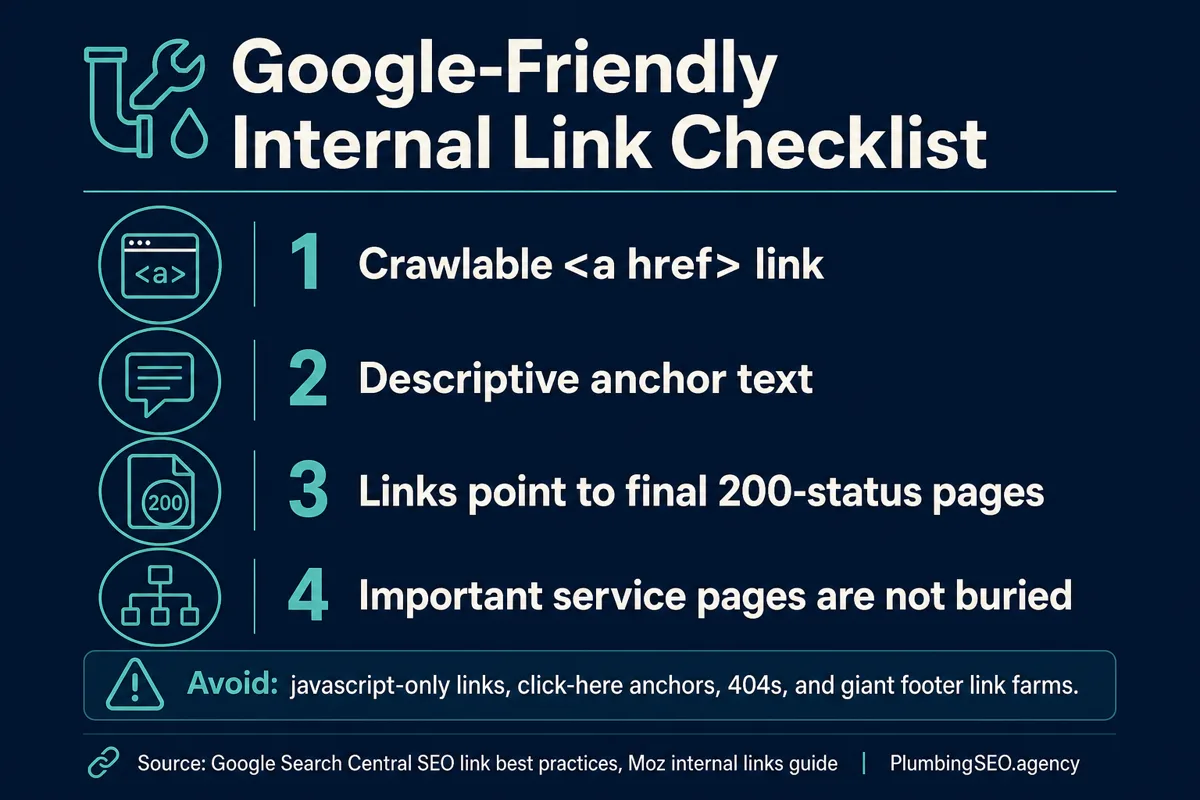
Good plumbing internal link
"If your site has crawl leaks, start with a plumbing website SEO audit before rewriting every service page."
Why it works: the anchor is specific, the destination matches the sentence, and the reader knows what comes next.
Weak plumbing internal link
"For more information, click here."
Why it fails: the anchor says nothing, the page topic is unclear, and the link feels like a leftover checkbox.
How to build a plumbing internal linking plan in 30 days
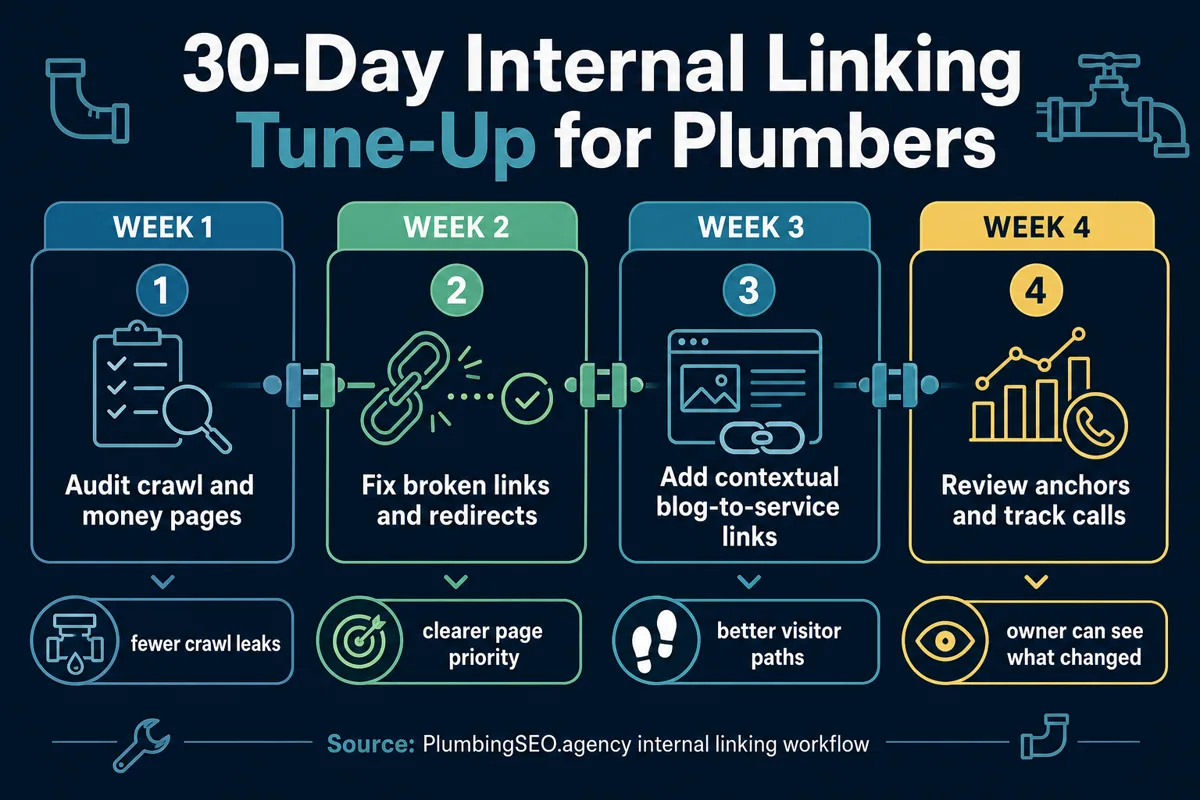
You do not need to rebuild the whole website in one sitting. A clean month of work can fix the worst leaks and give the owner a system to maintain.
Week 1: Map the pages that matter
Start with the pages most likely to create calls. Usually that means the homepage, emergency plumbing, drain cleaning, sewer repair, water heaters, leak detection, service-area pages, pricing, and audit or consultation pages. Then list the best supporting articles for each one.
If the company has no clear keyword map, fix that first. A guide like the plumbing website keyword strategy process helps separate service pages from support content so links do not send mixed signals.
Week 2: Clean broken links, redirects, and buried pages
Run a crawl. Check the navigation, footer, blog posts, service pages, and sitemap. Fix broken internal links. Update links that still point at redirecting URLs. Make sure the important pages are reachable from sensible places, not just from the XML sitemap.
This is where many sites need a deeper review. The paid audit page exists because a real plumbing website SEO audit checks crawlability, indexability, service-page intent, internal-link routing, and call-path friction together. Those problems usually travel as a pack.
Week 3: Add contextual blog-to-service links
Open each useful blog post and ask one question: what would the reader need next if they were closer to buying? If the answer is a service, link to that service page. If the answer is diagnosis, link to the audit or process page. If the answer is another explanation, link to a related blog.
Keep it natural. A post about Google Business Profile photos does not need to link to every service in the company. A post about water heater searches can link to the water heater SEO or water heater service strategy. A post about why pages are not indexed can point to a plumbing website indexing checklist because the next step matches the problem.
Week 4: Review anchors and track the business result
Look for anchors that repeat too much, say too little, or point to the wrong page. Then track the result the owner cares about: calls, form fills, booked jobs, and the service pages gaining visibility. Rankings matter, but the phone tells the truth.
Tools can help, but judgment matters. seoClarity's internal linking case studies show large visibility and traffic lifts in some enterprise examples. A local plumbing site is smaller, but the principle still applies. Important pages need useful paths pointing at them.
Internal links should support calls, not just rankings
For plumbers, internal linking is not an academic SEO exercise. It helps a homeowner move from a question to a decision. It helps Google understand which page should rank for which job. It helps the owner see whether content is supporting revenue or just collecting dust.
Build the links like you would route a service day. Put the urgent jobs first. Keep the path clean. Send people to the page that solves the problem. Then double-check that the phone number is easy to find when they get there.
Internal Linking FAQs for Plumbing Websites
Want to know where your internal links are leaking calls?
A plumbing website SEO audit checks crawl paths, service-page priority, internal links, anchors, and the call path so you know what to fix first.
Audit My Plumbing Website